


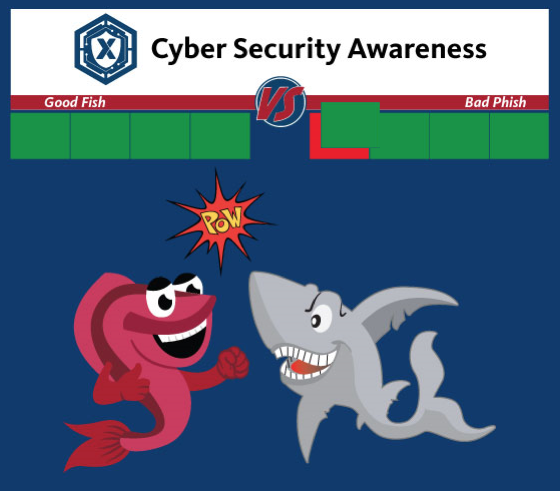
During National Cyber Security Awareness Month in October, cast your line in the water but don’t catch anything phishy.
To draw attention to phishing during National Cyber Security Awareness Month, security experts in the Exchange’s IT Directorate will send fake, but legitimate-looking emails weekly to more than 20,000 associates with computers around the world.
The project is called “Good Fish/Bad Phish” to see how many associates will report the phishing expeditions to IT or take the bait. Last year, spam reporting jumped 300% during Fish/Phish.
 As with last year, each time an associate uses the Report Spam Button to correctly flag suspicious emails, Good Fish punches Bad Phish and reduces his health. Using the “Report Spam Button” in the top right-hand corner of Outlook automatically warns IT’s security experts about the phishing expedition.
However, if an associate takes the bait, Bad Phish punches Good Fish. That associate is then directed to an educational webpage about phishing.
During Good Fish/Bad Phish, associates can track the results here.
David Ayers, Rebecca Burkheart, Pat Crawford, Brent Foltz, Nancy Perry and Michael Steier work on the cyber security team and will send the phishy emails.
“Associates picked up good habits during last year’s game that have stayed with us through the year,” said Burkheart, the team’s manager. “We’ve ratcheted up the complexity of the phishing simulations to give everyone a little more challenge.”
Sorry, associates who catch the most phish won’t get prizes.
Phishing is a cybercrime in which shysters, through emails, text messages or telephone calls seek to lure individuals into providing personal information, such as bank account and credit-card numbers.
In emails, for instance, phishers encourage people to click on a link, which would open the door to the Exchange’s d computer network where crooks could wreck unholy havoc and cost the organization hundreds of thousands of dollars.
The damage could result in reduced earnings for the military’s Quality-of-Life programs.
If you suspect that you have received a phishing email, click on the “Report Spam” button or forward it here. Don’t change the subject line.
If you don’t have a report spam button, do the following:
- Start the Window’s logo
- Choose Microsoft System Center and Software Center
- Load the SpamReporting—PhishMe module found in the body of the page.
Need help? Call the IT Help Desk, (214) 312-3800.
Read more!

Share your thoughts!